
Handyman Flat Rate Price Book
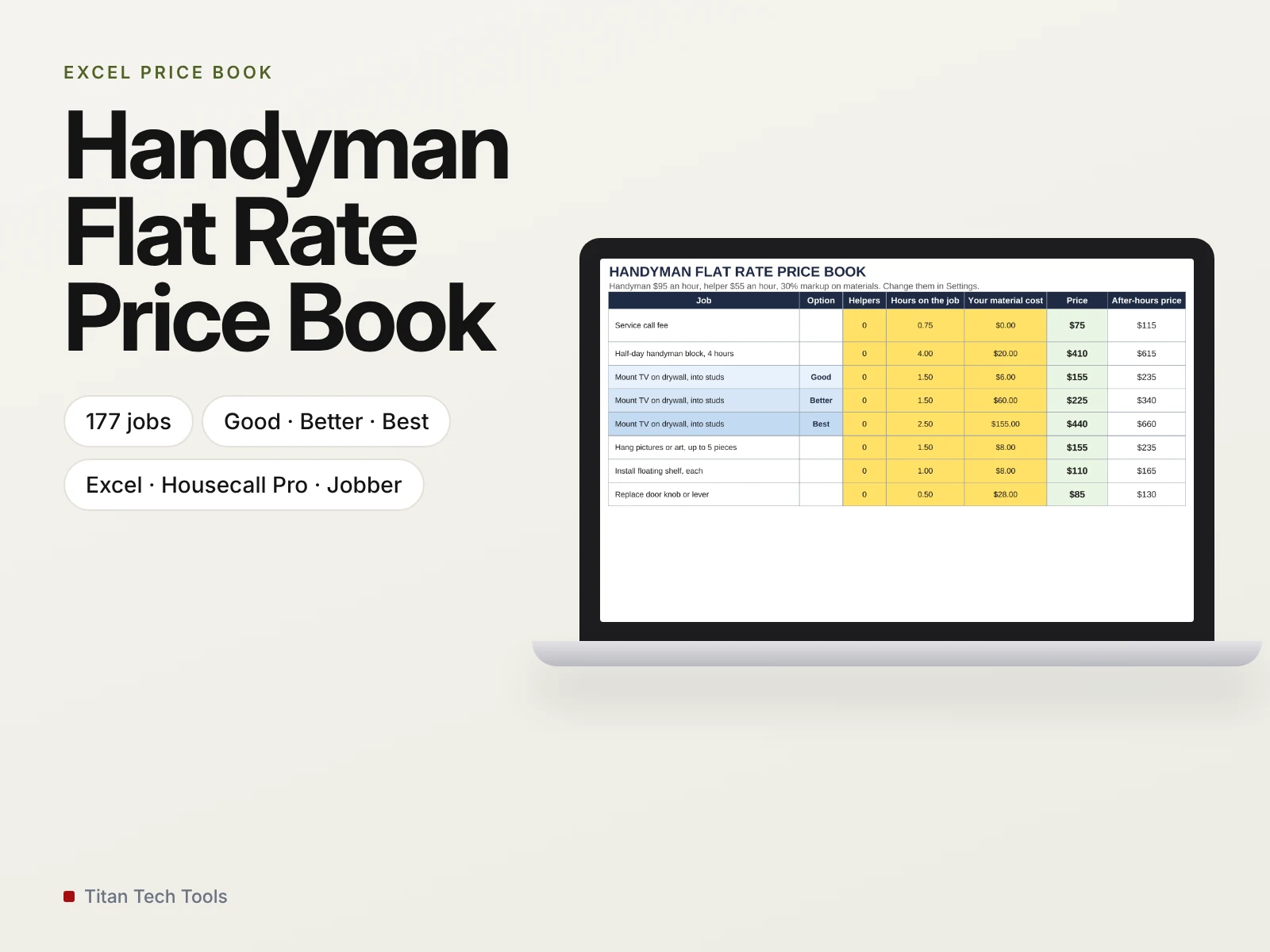
Handyman flat rate pricing for 177 jobs, priced by your own hourly rate and markup. Print it for the truck, or import it into Housecall Pro or Jobber.
Choose your version
What is the Flat Rate Pricing Calculator?
One Excel price card: hours across the top, your material cost down the side, the price where they meet. It prices any job that is not in the book, from 15 minutes to 40 hours, for any crew. On its own it is $179: see the calculator.
Secure checkout by Square. The download starts right after payment.
- Instant download
- Excel on PC, Mac, iPad or Google Sheets
- A re-download link by email
Handyman flat rate pricing gives every job one fixed price before you start: your rate x the hours + materials with your markup, rounded up, plus one service call fee per visit. This book has 177 handyman jobs already written and priced, in one Excel file you own.
Why handyman flat rate pricing beats "how much an hour?"
Say an hourly rate and the customer guesses the hours, usually low.
Every job figured from scratch, by feel, a little different each time.
A 20-minute fix still costs you the drive, the setup and the invoice.
A flat price ends all three. The customer hears one number for the job, and one service call fee covers the drive on every visit. Five small jobs on one visit are one fee plus five job prices.
What is in the handyman price book
- Service calls and small jobs 7
- Mounting and hanging 23
- Doors and locks 26
- Windows and screens 9
- Drywall 11
- Painting 12
- Trim and carpentry 10
- Caulk and weatherproofing 13
- Bathroom (light plumbing) 31
- Kitchen and appliances 16
- Light electrical 21
- Flooring and tile repair 9
- Fence, deck and outdoor 23
- Gutters 8
- Garage and attic 10
- Assembly and seasonal 10
16 categories, 177 jobs, 239 priced lines. Each line says what is included, so the customer knows what the price buys. 20 empty rows sit under the list for your own jobs.
Where the hours come from
Every job has a Published hours column next to our hours: what a public source says the same job takes. 139 lines show that figure. 29 say the only published figure is for a different scope. 66 say "None found", because we looked and found nothing. You see where our hours sit before you type your own.
- Parts used on every job. The material cost is those parts added up. Type your own cost when your supplier differs.
- After-hours price on every job. One multiplier in Settings for nights, weekends and holidays.
- A rate finder. Settings works out the hourly rate your pay, your costs and your billable hours need.
- How to sell it. The Start Here tab has short notes on presenting the price and the options.
Good, Better, Best on the jobs where it matters
31 jobs come as three options, from TV mounting, grab bars, deadbolts and doors to toilets, faucets, ceiling fans, thermostats, fence sections and deck boards. Show all three. Let the customer choose.

Your numbers. Change them any time.
- Your rates. Type what you charge per hour, for you and for a helper. Raise your rate next month and every price in the book updates. Put 1 in Helpers on any job you send a helper on, and that price adds the helper rate.
- Your markup. On materials. 0% means at cost. Change it when your supplier prices move.
- Your rounding and after-hours price. Prices round up to $5 or $10, and one multiplier sets the after-hours price on every job. The book ships with no minimum per job: the service call fee covers the trip.
- Your hours. The hours in the book are a starting point, shown next to what public sources say, but they are not yours. They count time on site only. Type your own hours and parts cost on every job you sell, and fix them whenever a job runs longer or shorter than you thought.
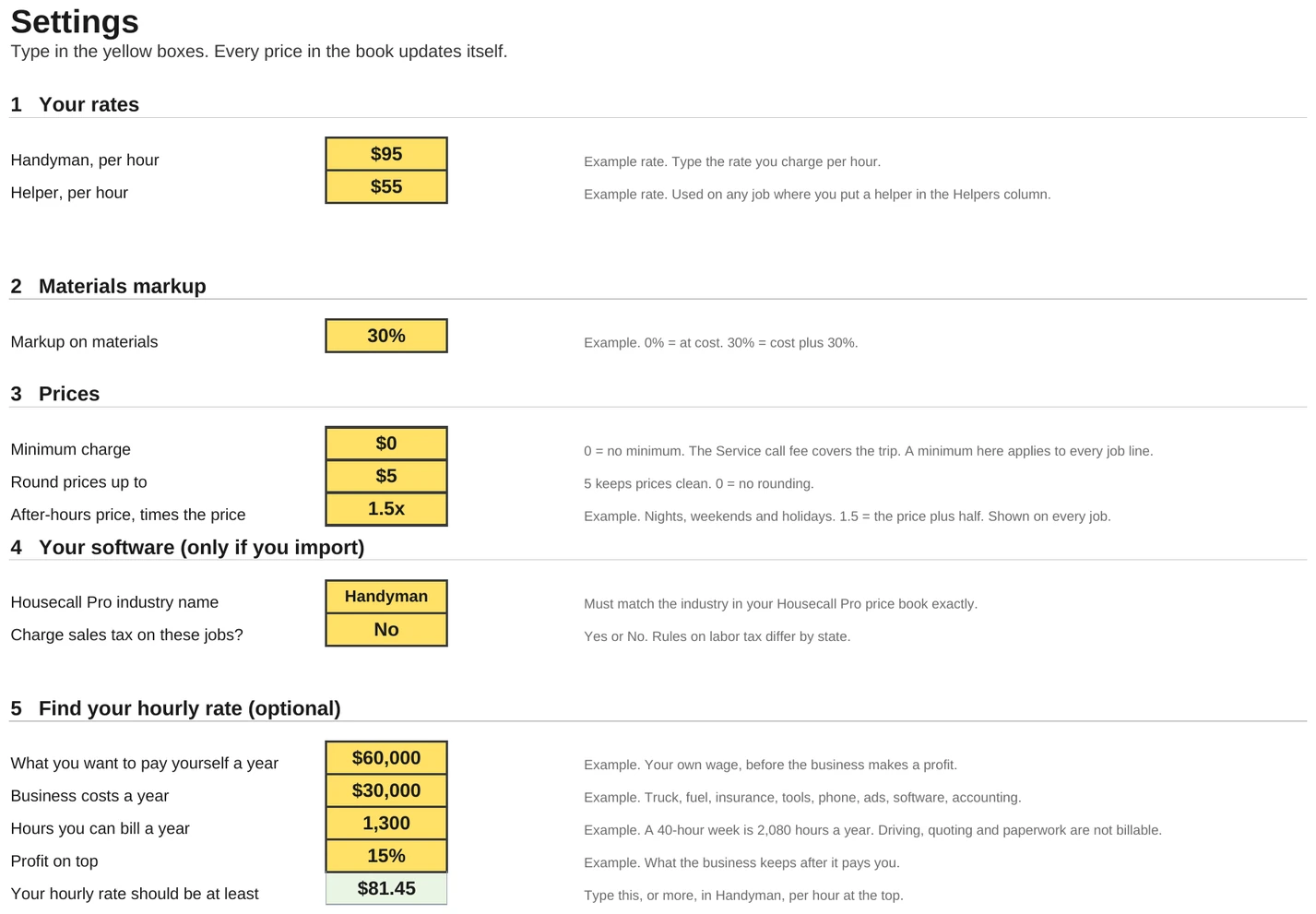
Not sure what your hour should cost? Work it out first with the free loaded labor rate calculator.
Use it on paper, in Housecall Pro or in Jobber
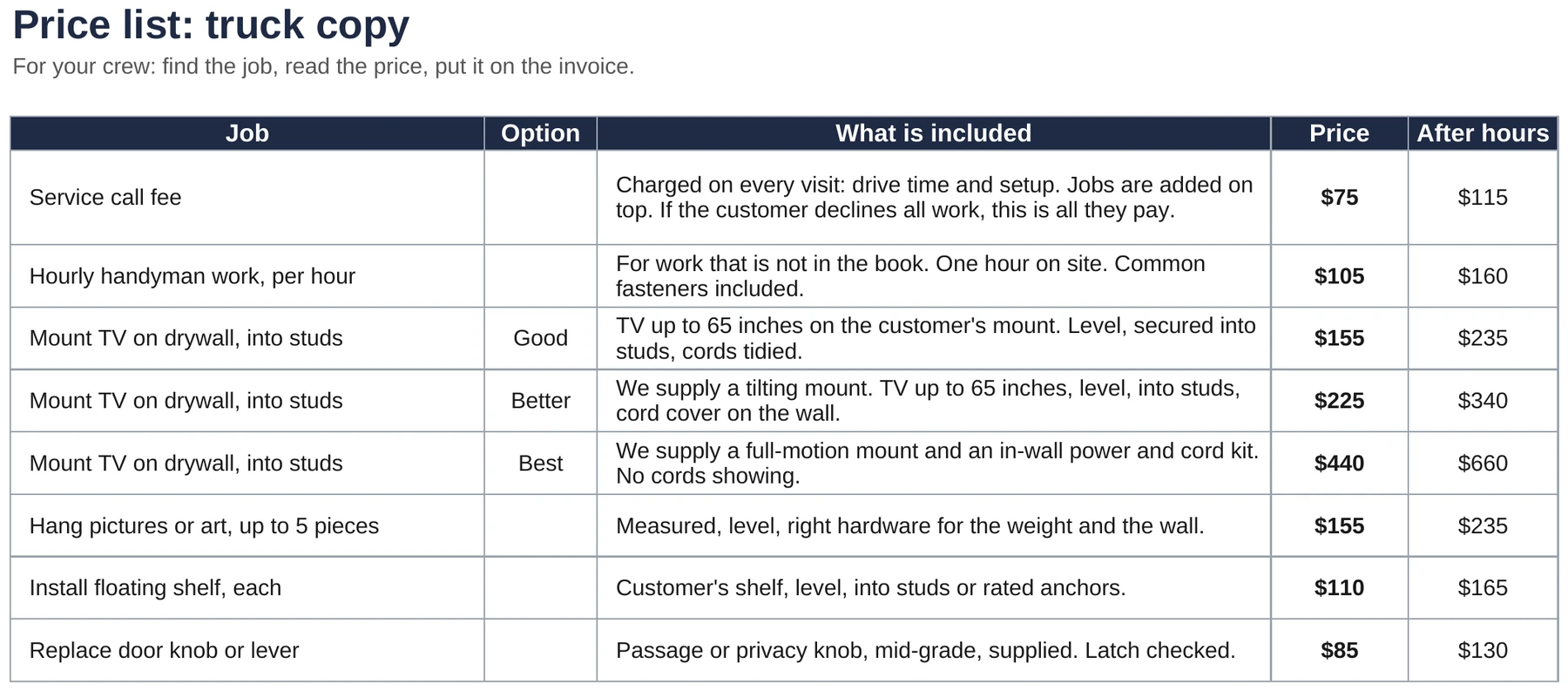
Print the Print tab for the truck. Job, option, what is included, price and after-hours price. Your hours and cost stay off it.
An import tab laid out to the columns in Housecall Pro's price book import.
An import tab laid out to Jobber's Products and Services headings. Save it as a CSV and upload.
A handyman pricing guide you can actually use
Most handyman pricing guides are written for homeowners: a range like "$100 to $300" for a TV mount. That range does not tell you what to charge. This book does: one price per job, built from your own rate and your own costs.
The Handyman Flat Rate Price Book, $299. Or the book and the calculator together for $399, save $79.
New to flat rate? Read flat rate pricing for the trades. Price any single job free with the flat rate pricing calculator. Plumbers: see the free plumbing price list. Every trade in one place: price book templates.
Questions
Straight answers
What is handyman flat rate pricing?
One fixed price per job, agreed before the work starts, instead of an hourly rate the customer has to guess at. Behind each price sit the hours the job takes and what the materials cost you. The customer sees one number. You know exactly how it was built.
How do I price handyman jobs with this book?
Your hourly rate times the hours, plus your material cost with your markup, rounded up. Put a helper on a job and the helper rate is added for the same hours. Example at the shipped settings, $95 an hour and 30% markup: replacing a door knob is 0.5 hours x $95 = $47.50, plus $28 of materials x 1.3 = $36.40. That is $83.90, rounded up to $85, or $130 after hours. The $75 service call fee is charged once per visit, so five small jobs on one visit are one fee plus five job prices.
How do I estimate how long a handyman job takes?
Only you can. How long a job takes belongs to the person doing it, and ten handymen will give you ten answers. The hours in this book are a starting point: what the industry publishes and what handymen say each job takes. A Published hours column shows what a public source says the same job takes, so you can see where our hours sit. They are not your hours, and they count time on site only; drive and setup are in the service call fee. Every hour and every material cost is in a yellow cell. Type your own, and the price follows.
How should I charge for handyman work, by the hour or by the job?
By the job, with your hour behind it. The customer gets one price before you start, so nobody argues about the clock. You build that price from your hourly rate, the hours the job takes you and your parts with markup, and charge one service call fee per visit for the drive. That is exactly what each line in this book does.
How much should a handyman charge per hour?
Enough to cover your own costs, so there is no one right number. This book ships at $95 an hour as a starting point. Work out your real rate from your wage, burden, truck and overhead with our loaded labor rate calculator, type it into Settings, and every job price updates.
Is this a handyman pricing spreadsheet I can edit?
Yes. It is a normal Excel file. Change your rate, helper rate, markup, rounding and after-hours multiplier on the Settings tab. Change the hours and material cost on any job, and put 1 in Helpers on the jobs you send a helper on. Add your own jobs in the empty rows at the bottom. It also opens in Google Sheets.
Can I print it for the truck?
Yes. The Print tab is a truck copy for your crew: the job, the option, what is included and the price, ready to put on the invoice. Your hours, material cost and markup stay off it.
Does it import into Housecall Pro or Jobber?
It has a Housecall Pro Import tab laid out to the columns of the Housecall Pro price book import (Industry, Category, Name, Description, Price, Cost, Taxable, unit of measure) and a Jobber Import tab laid out to the Jobber Products and Services headings, with prices as plain numbers. The Start Here tab walks through both.
Some jobs are plumbing or electrical. Can a handyman do them?
It depends on your state. Light plumbing and light electrical sit in their own categories so you can see them. Check what your state allows and delete the rows you cannot sell before you print or import.
Is there a free version?
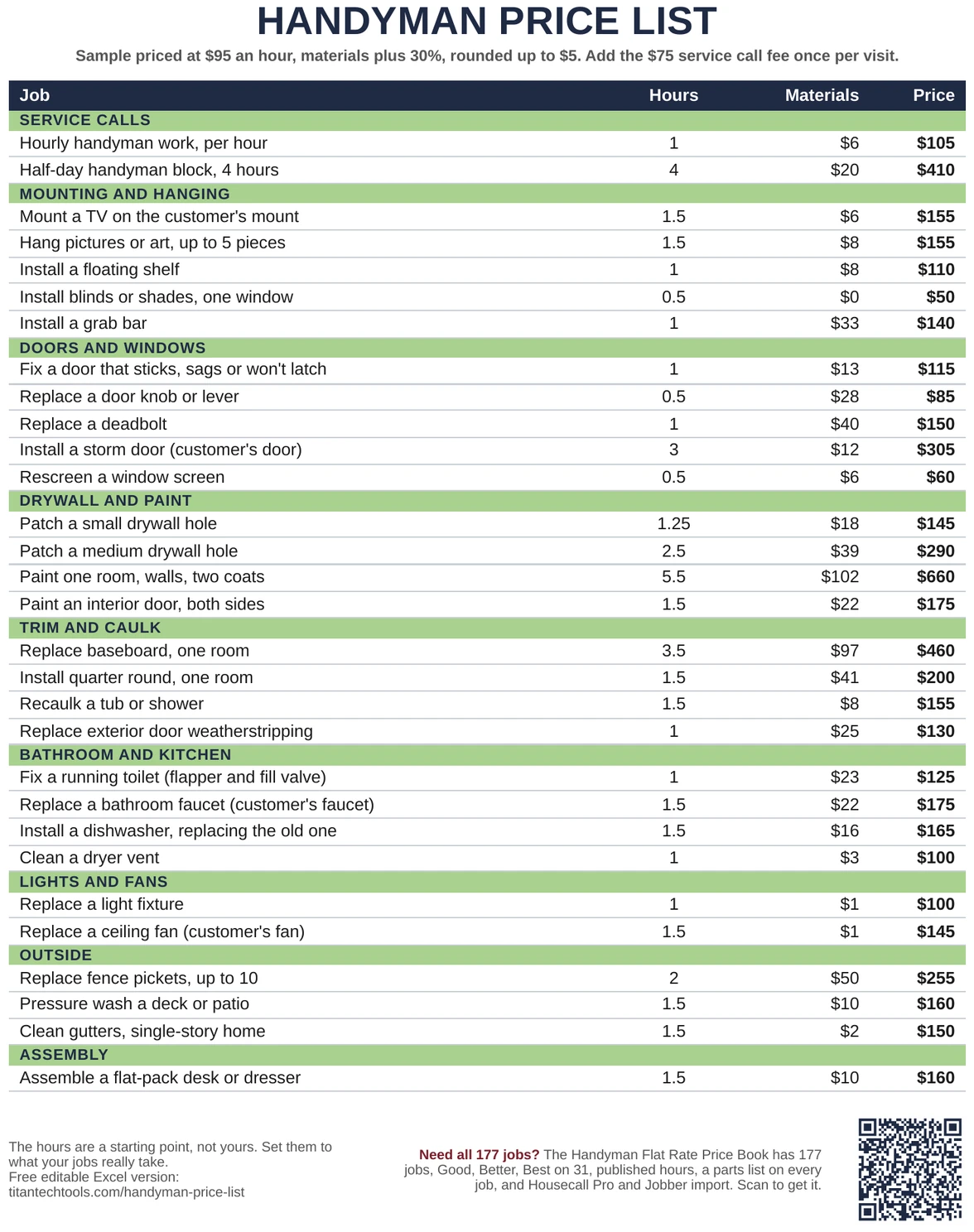
Yes. The free handyman price list has 30 common handyman jobs, as a printable PDF and an editable Excel file. No form.
How do I get the file after I pay?
Checkout is through Square. When the payment goes through you land on a download page and the file downloads right away. You also get an email receipt with a link to download it again any time.