
Flat Rate Pricing Calculator
Price the job that is not in your pricebook. Free for one job right here, or every job from 15 minutes to 40 hours on one Excel price card.
Price a job freeA flat rate pricing calculator gives one fixed price for a job before the work starts: crew rate x hours + materials with markup, rounded up. Price one job free below. For every job at once, the Excel price card has that math done from 15 minutes to 40 hours and $10 to $6,000 of materials, for any trade.
Every job from 15 minutes to 40 hours on one card. Your crew, markup, minimum and rounding. Print it for the truck.
Free flat rate pricing calculator
Flat rate price $1,200
One job at a time works in the office. In the driveway, every tech needs every job on one sheet: get the Excel price card, $179.
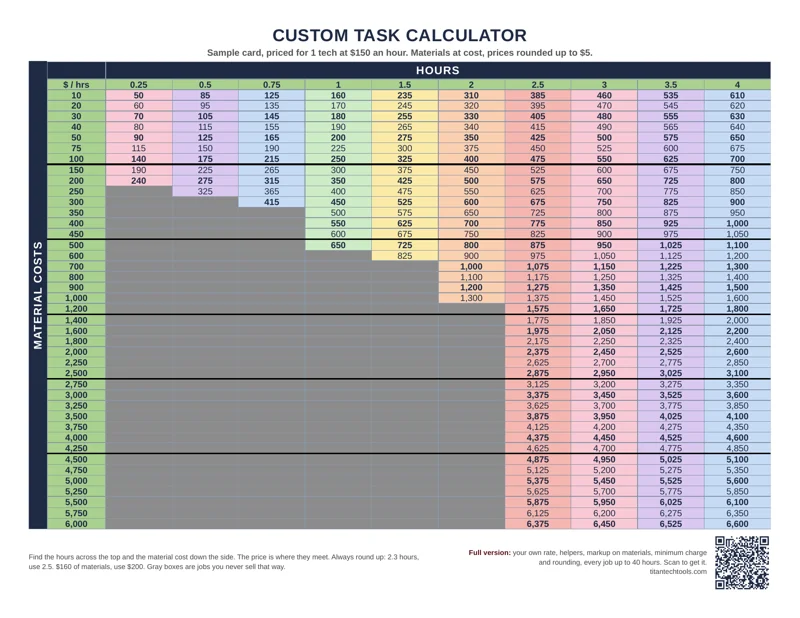
Free printable sample card
One sheet, priced for one tech at $150 an hour, jobs up to 4 hours. Print it and try it on real jobs this week.
More on it: flat rate pricing PDF. Plumbers: see the free plumbing price list template. Handymen: the handyman flat rate price book has 177 jobs priced, or start with the free handyman price list. Whole books for the other trades: the electrical flat rate price book and the plumbing price book.
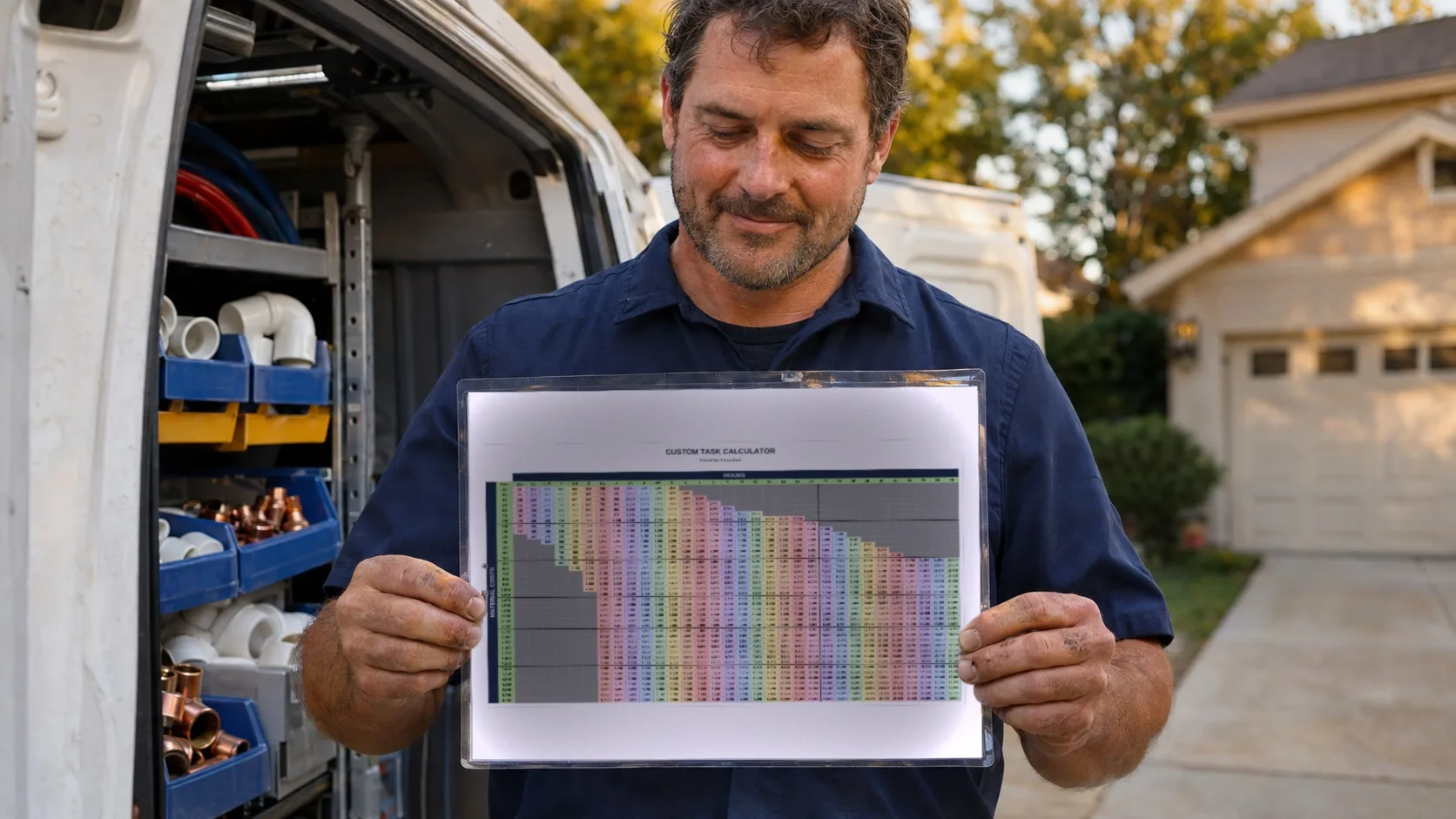
The job is not in the book. Now what?
The tech prices it in the driveway, by feel.
A two-man job gets quoted like a one-man job.
Same job, a different number from every truck.
One two-man job priced as one-man, 4 hours: 4 x $225 helper = $900 left on the table. The card costs $179, once.
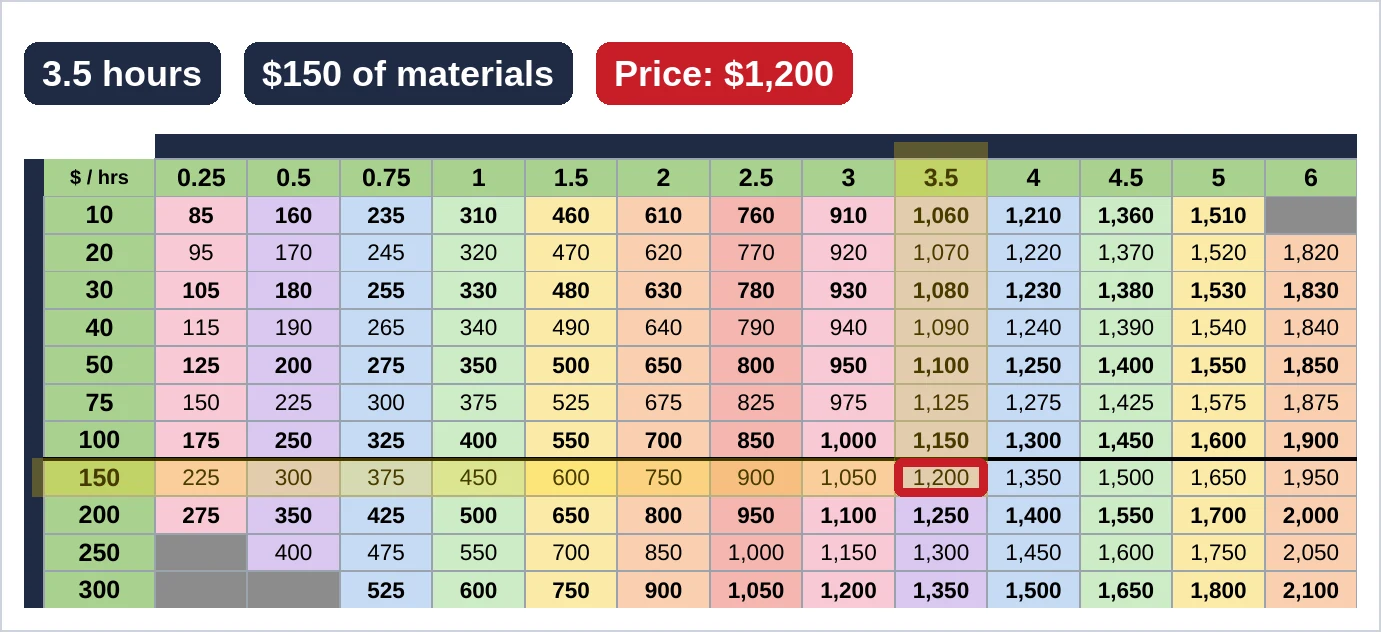
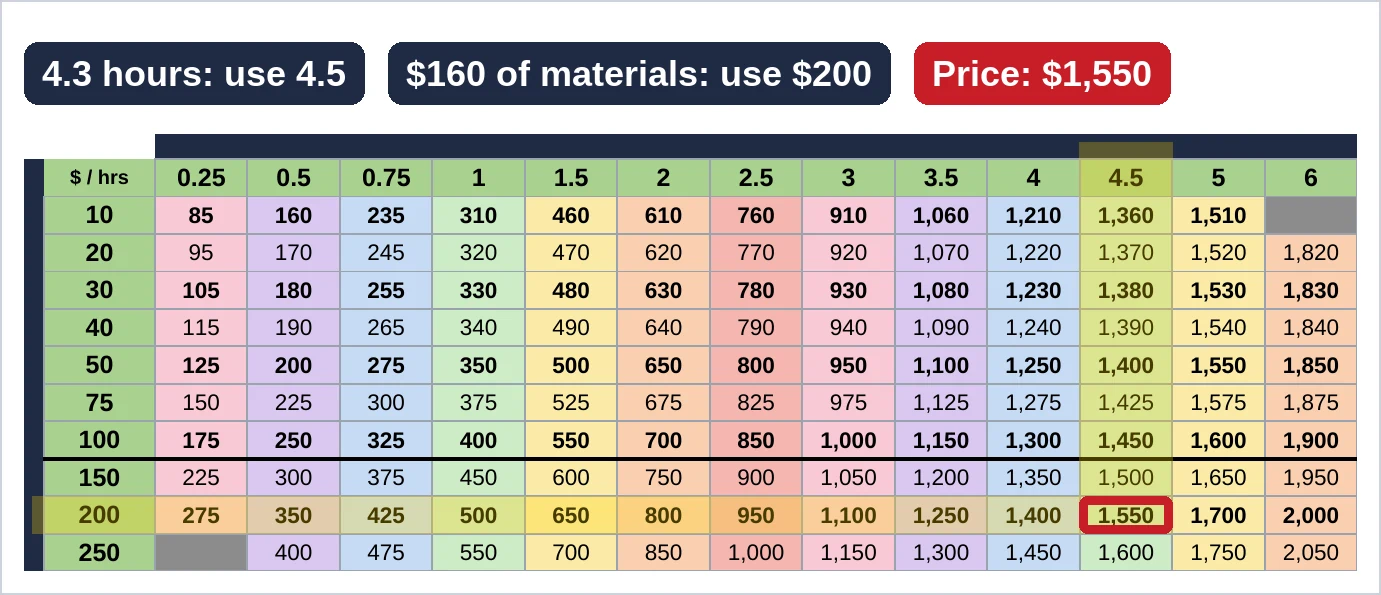
Hours across the top. Material cost down the side.
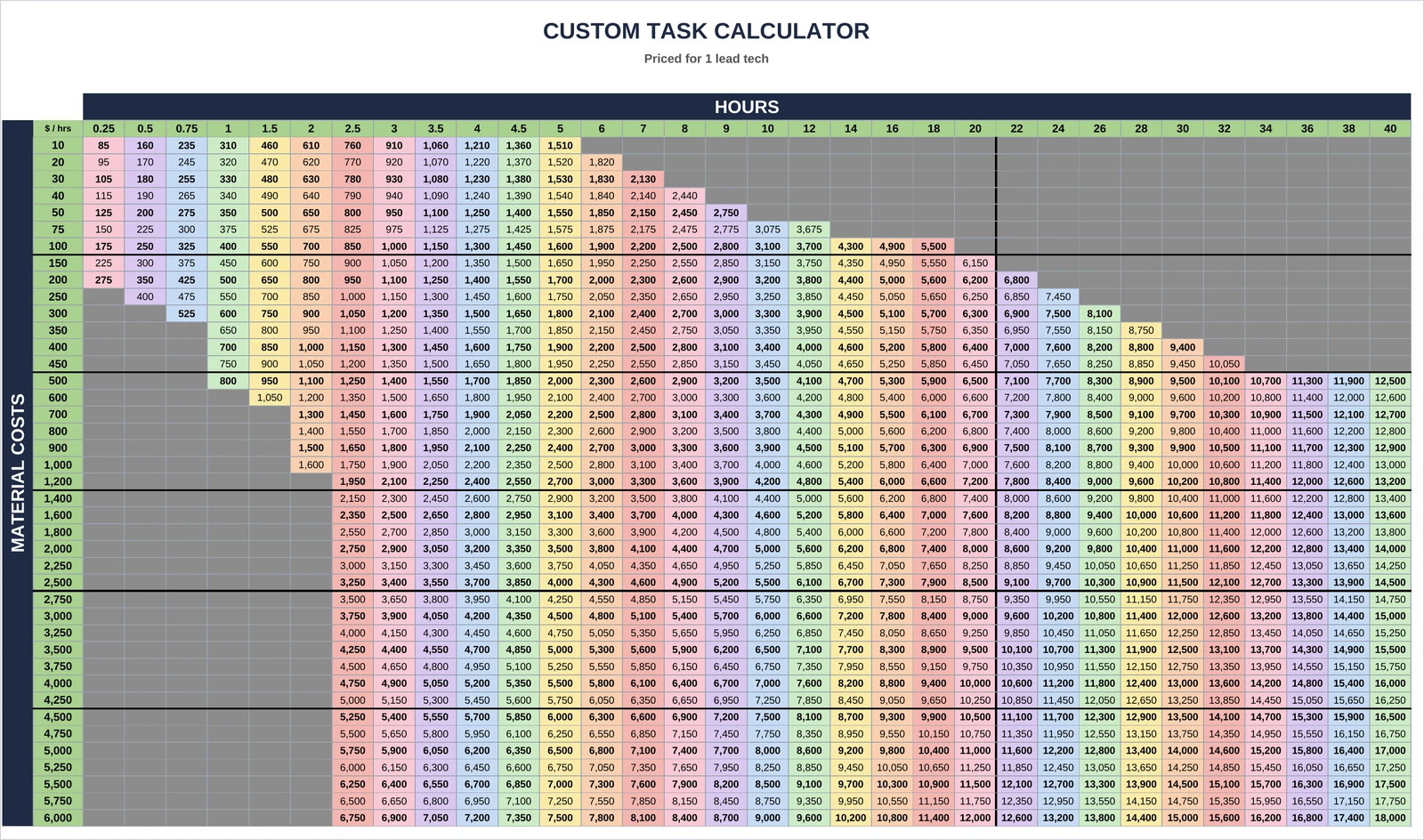
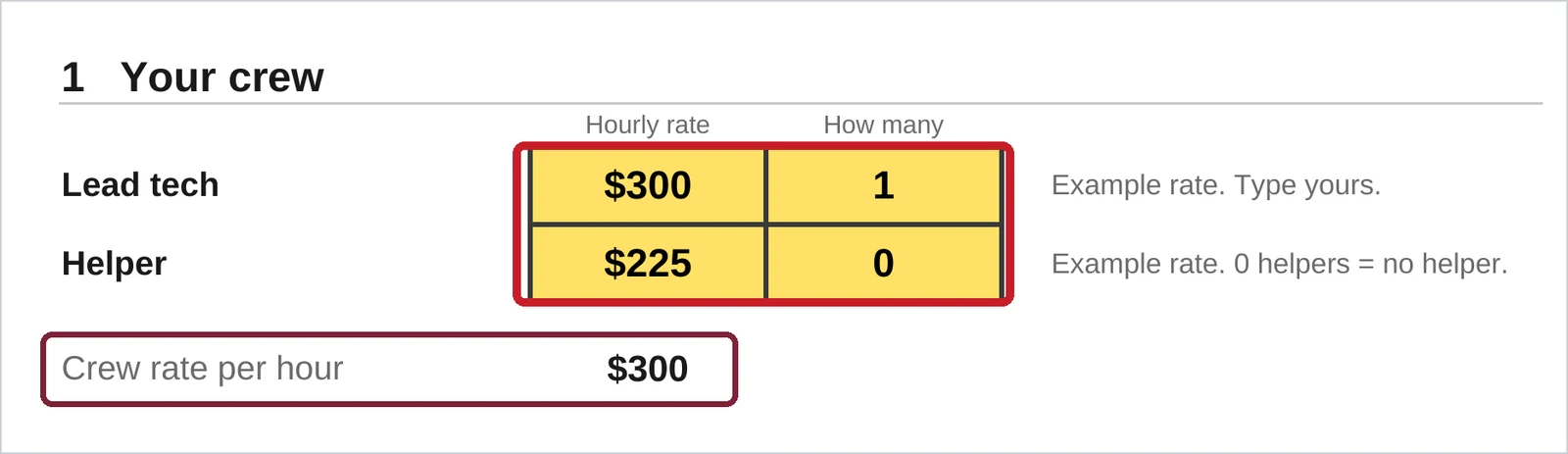
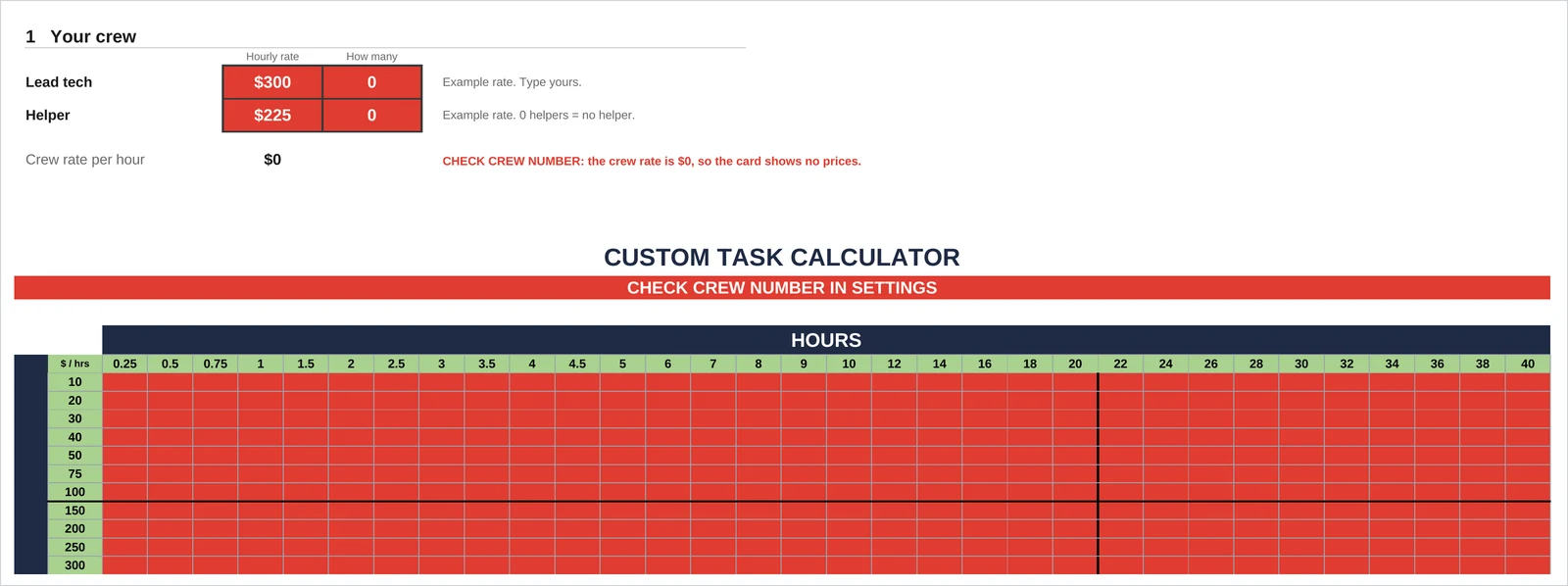
Set it once in Settings
- Your crew. Lead tech rate and how many. Helper rate and how many.
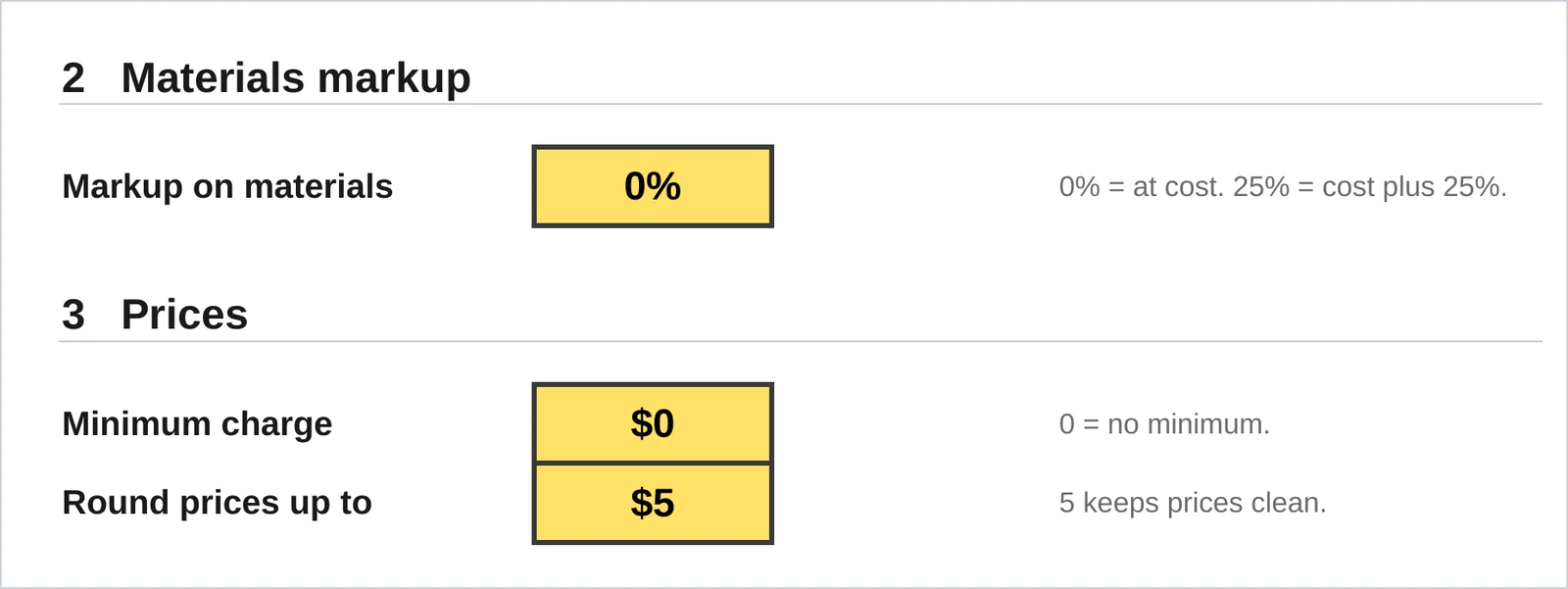
- Your markup. On materials. 0% means at cost.
- Your floor and rounding. A minimum charge, and round prices up to $5 or $10.
Not sure what your hour should cost? Work it out first with the free loaded labor rate calculator.
The rules that keep the price right
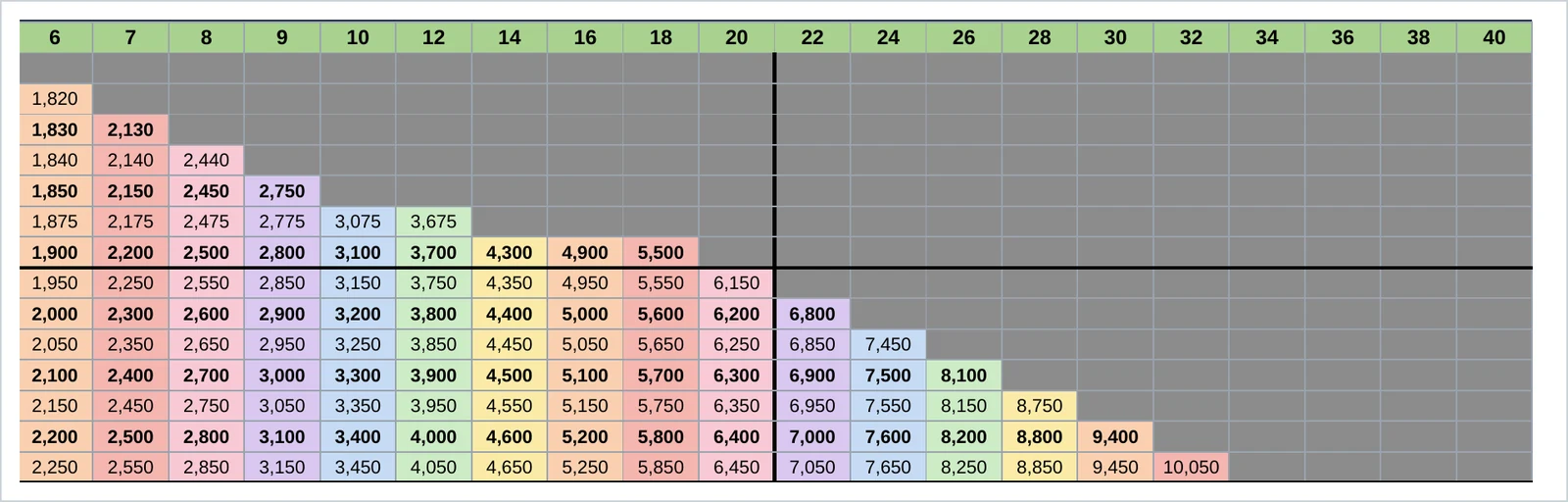
Six jobs read off the card
Six jobs read straight off the card. The hours and parts are examples; yours will differ.
| Job | Hours | Materials | Read on the card | Price |
|---|---|---|---|---|
| PlumbingReroute a drain line under a sink cabinet | 2.5 | $85 | 2.5 hr x $100 | $850 |
| ElectricalAdd an outdoor GFCI outlet | 1.5 | $45 | 1.5 hr x $50 | $500 |
| HVACReplace a damaged duct run in the attic | 3 | $180 | 3 hr x $200 | $1,100 |
| HandymanHang a customer-supplied ceiling fan | 1 | $20 | 1 hr x $20 | $320 |
| ElectricalRun a new 20-amp circuit to the garage | 4.3 | $160 | 4.5 hr x $200 | $1,550 |
| Plumbing, 2 peopleMove a water heater to a new closet | 6 | $430 | 6 hr x $450 at $525/hr | $3,600 |
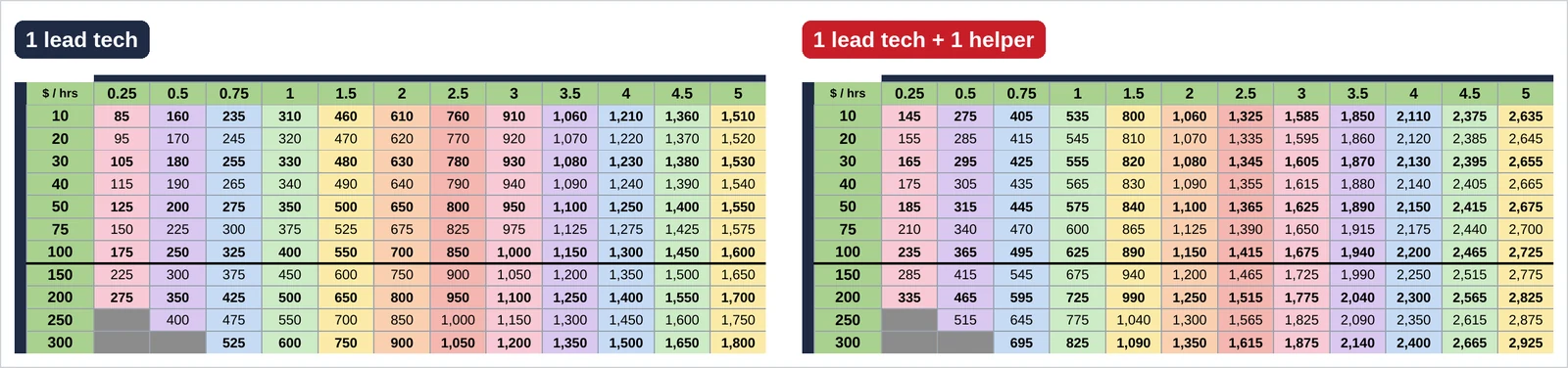
Priced for one $300/hr lead tech, 0% markup, rounded up to $5. The two-person job adds one $225/hr helper, so the crew rate is $525. More jobs, worked out step by step for every trade: flat rate pricing examples.
Calculator, price card or price book?
Type the numbers, get one price. Good in the office. Slow in the driveway. The one above is free.
Every job from 15 minutes to 40 hours on one sheet. Every tech reads the same price. $179, once.
The jobs you sell every week, priced task by task with real parts. See our plumbing, HVAC and electrical builds.
On the screen, or on the dash
Use it on a computer or an iPad. Or print it front and back on one sheet for the truck.

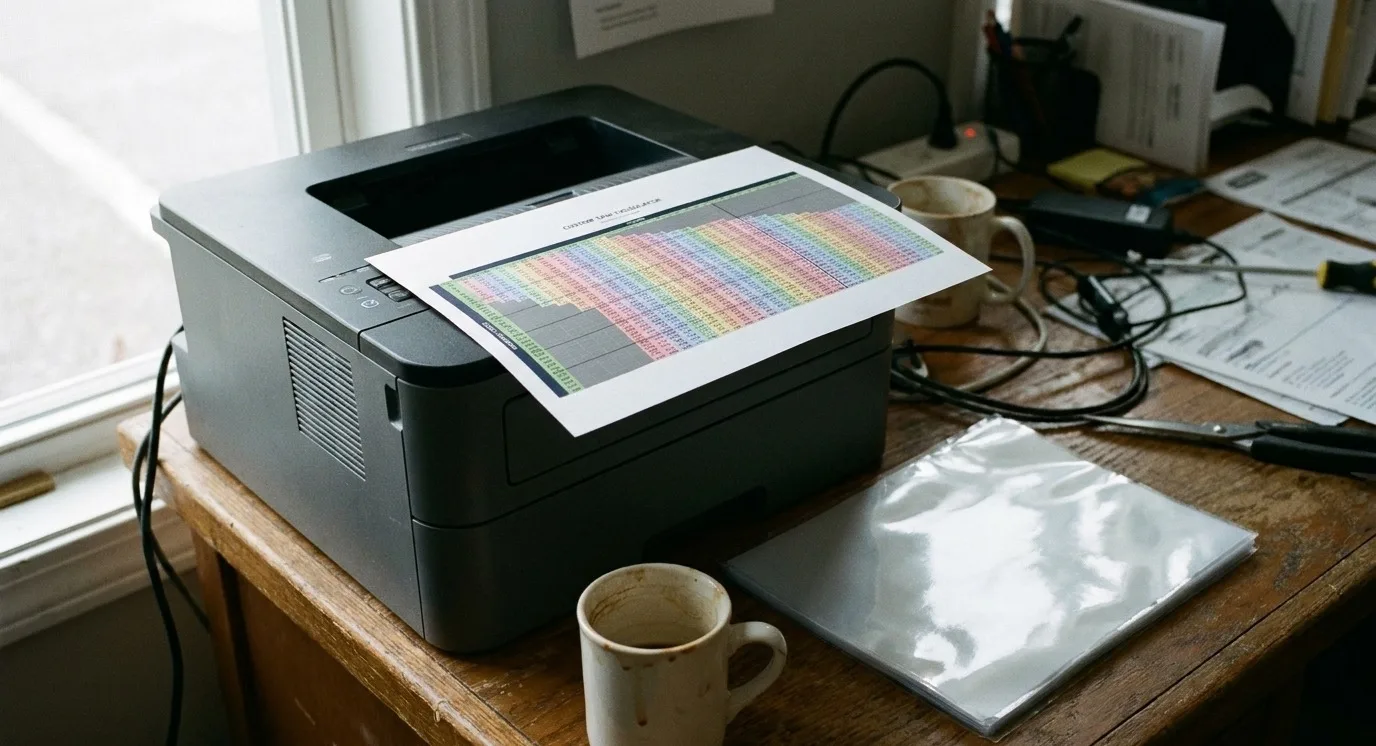
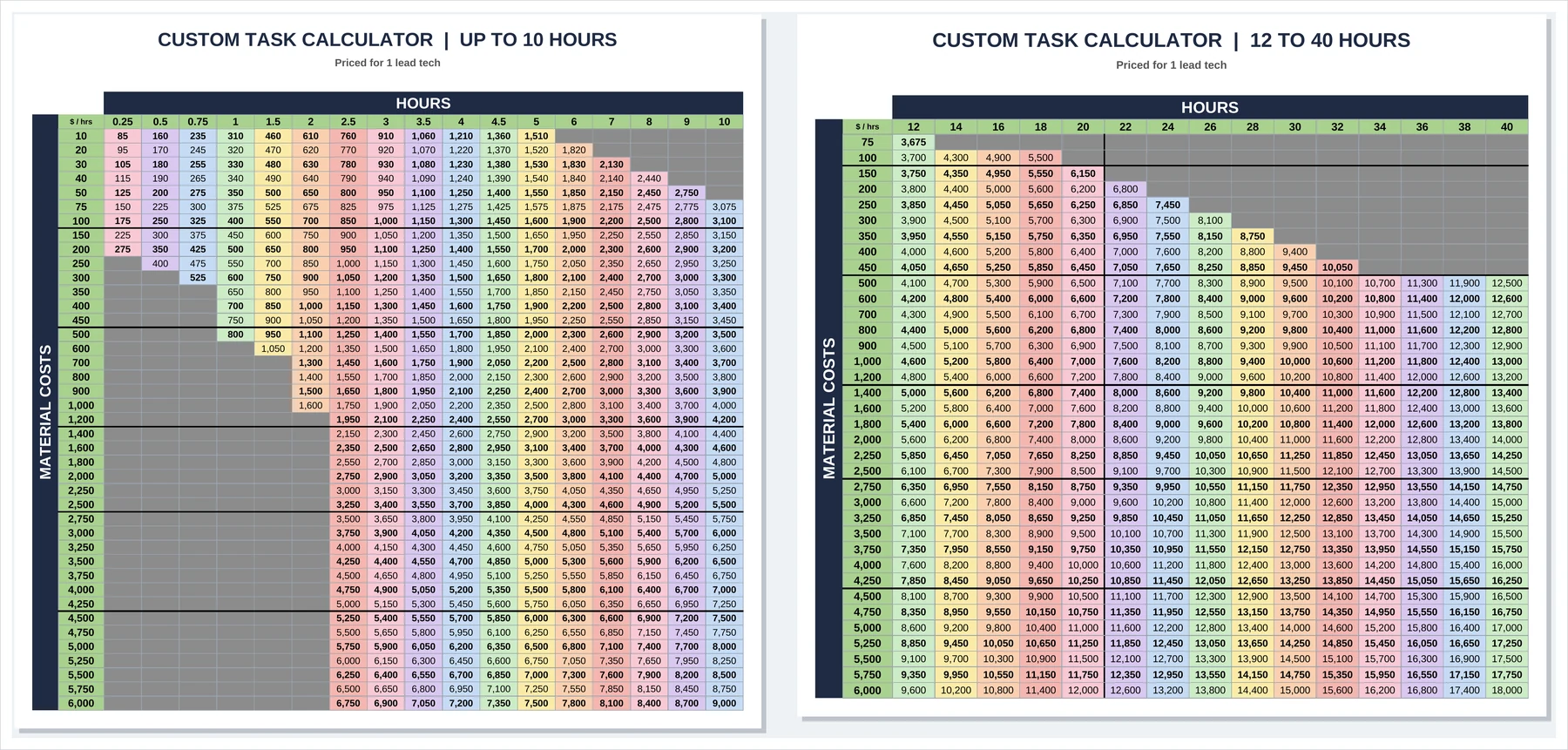
The card shows prices only. Your rates and markup stay on the Settings tab, so it is safe to show a customer.
What you get
- One Excel file, four tabs. Settings, Price Card, Print Front, Print Back.
- 32 hour columns, 41 material rows. 15 minutes to 40 hours. $10 to $6,000 of materials.
- Any trade. HVAC, plumbing, electrical, or anything that sells hours and parts.
- Works where you are. Excel on a computer, Mac or iPad. Opens in Google Sheets.
Guessed prices. Two-man jobs at one-man prices. A different number from every truck.
One price for every tech, set by you, ready in the time it takes to type your rate.
$179 one time. Yours to keep.
Secure checkout by Square. The download starts right after payment, and we email you a link to get it again.
Want the jobs you sell every week priced in your pricebook instead, with real task times and linked materials? Read flat rate pricing for the trades, or see the plumbing, HVAC and electrical pricebook builds.
Questions
Straight answers
Is there a free flat rate pricing calculator?
Yes. The calculator at the top of this page is free. Type the crew rate, the hours, the material cost, your markup, minimum and rounding, and it gives the flat rate price for that one job with the math shown. The paid Excel card does the same math for every job from 15 minutes to 40 hours on one sheet.
What is a flat rate pricing calculator?
It turns your crew rate, the hours on the job and the material cost into one fixed price you quote before the work starts. This one is a single Excel price card: hours across the top, material cost down the side, and the price sits where they meet. Set your numbers once and every tech reads the same price.
How do you calculate a flat rate price for a job?
Crew rate per hour times the hours, plus the material cost with your markup, then round up. Example at a $300 an hour crew and 0% markup: 3.5 hours plus $150 of materials is 3.5 x $300 + $150 = $1,200. The card has that math done for every combination from 15 minutes to 40 hours and $10 to $6,000 of materials.
Does it work for HVAC, plumbing and electrical?
Yes. Nothing in the card is trade specific. It prices labor hours and material cost, so it works the same for a plumber, an HVAC tech, an electrician or any other trade that sells time and parts.
What if the job takes 4.3 hours or the parts cost $160?
Always round up to the next column and the next row. 4.3 hours uses the 4.5 column, $160 of materials uses the $200 row. At a $300 an hour crew the price is $1,550. Rounding up keeps the odd minutes and the forgotten fitting paid for.
How does it handle a helper or a two-man job?
In Settings you set the lead tech rate and how many, and the helper rate and how many. Add one helper at $225 an hour to a $300 lead and the crew rate becomes $525 an hour. Every price on the card changes with it, and the top of the card says which crew it is priced for.
Do I need ServiceTitan or any software?
No. It is an Excel file. It works in Excel on a computer, a Mac or an iPad, and it opens in Google Sheets. Use it on the screen or print it for the truck.
Why markup on materials and not a target margin?
Your crew rate is where the profit lives: it is the price of an hour, not the wage. Materials get a simple markup on what they cost you, which is how most shops already think about parts. Many online calculators divide by one minus a target margin instead. Both work. The card keeps it to one rate and one markup so a tech can read it at a glance.
Is there a free printable version?
Yes. A free sample card, priced for one tech at $150 an hour with jobs up to 4 hours, is on the flat rate pricing PDF page. It prints on one sheet. The paid Excel file lets you set your own rate, helpers, markup, minimum and rounding, for every job up to 40 hours.
Can I show the card to a customer?
Yes. The card only shows hours, material cost and prices. Your rates, markup and settings live on a separate tab, so nothing on the card gives away your cost.
How do I get the file after I pay?
Checkout is through Square. When the payment goes through you land on a download page and the file downloads right away. You also get an email receipt with a link to download it again any time.