
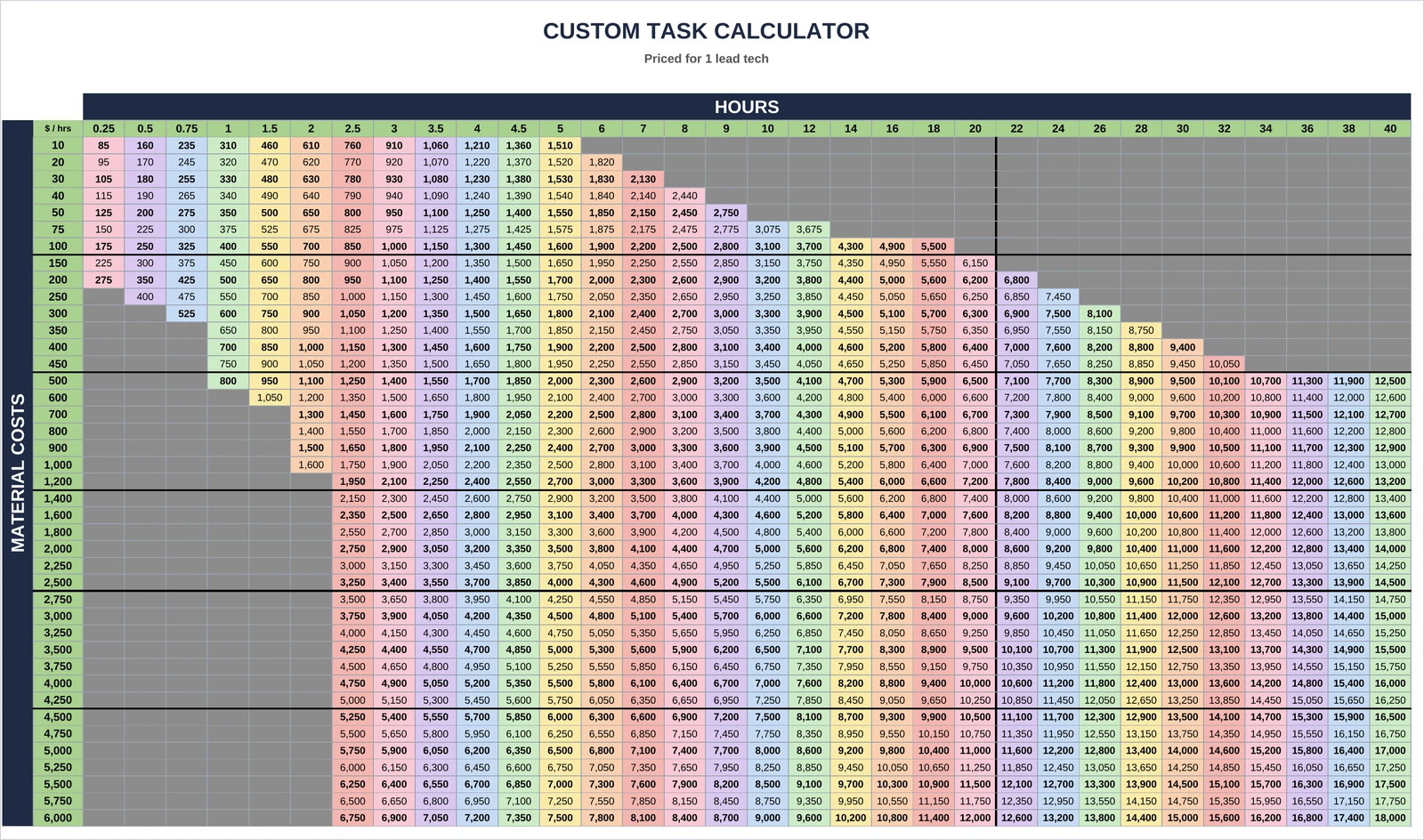
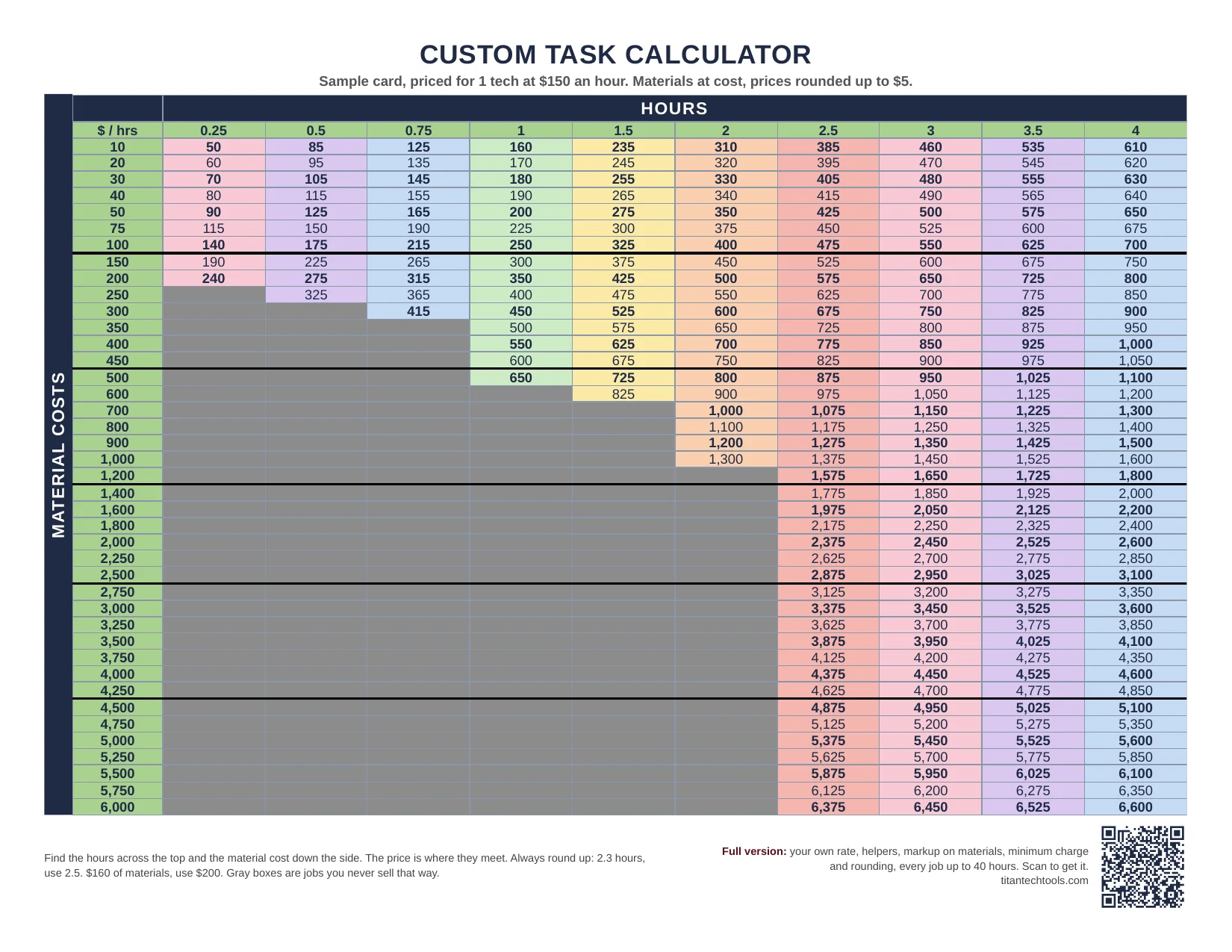
Flat rate pricing calculator
For any job on no list. Your rate and hours set the flat price.
Downloads
Ready price books in Excel for shops on paper, Housecall Pro or Jobber. Start with the free list, or get the full book.
Use ServiceTitan? We build your pricebook inside it.
For any job on no list. Your rate and hours set the flat price.
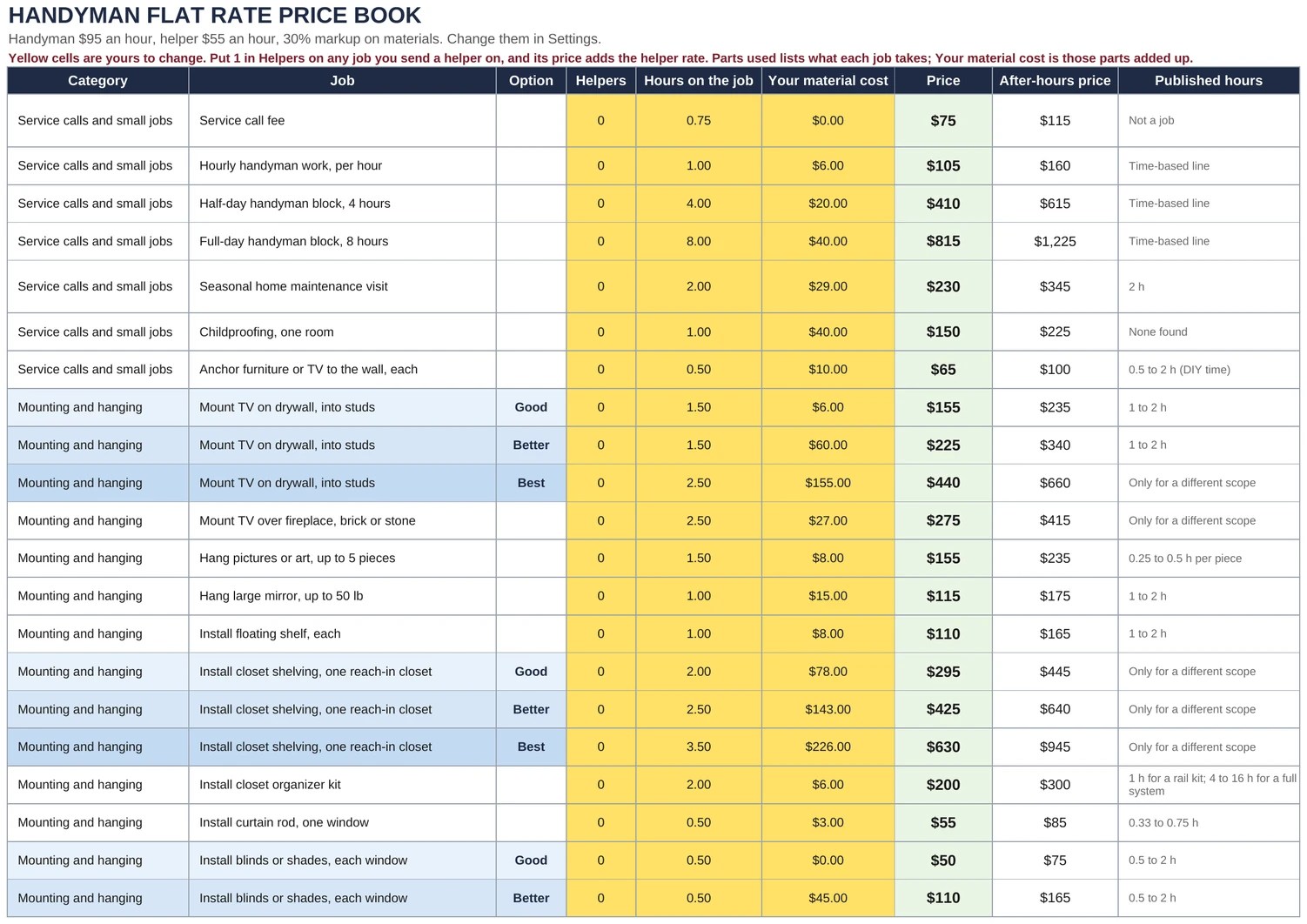
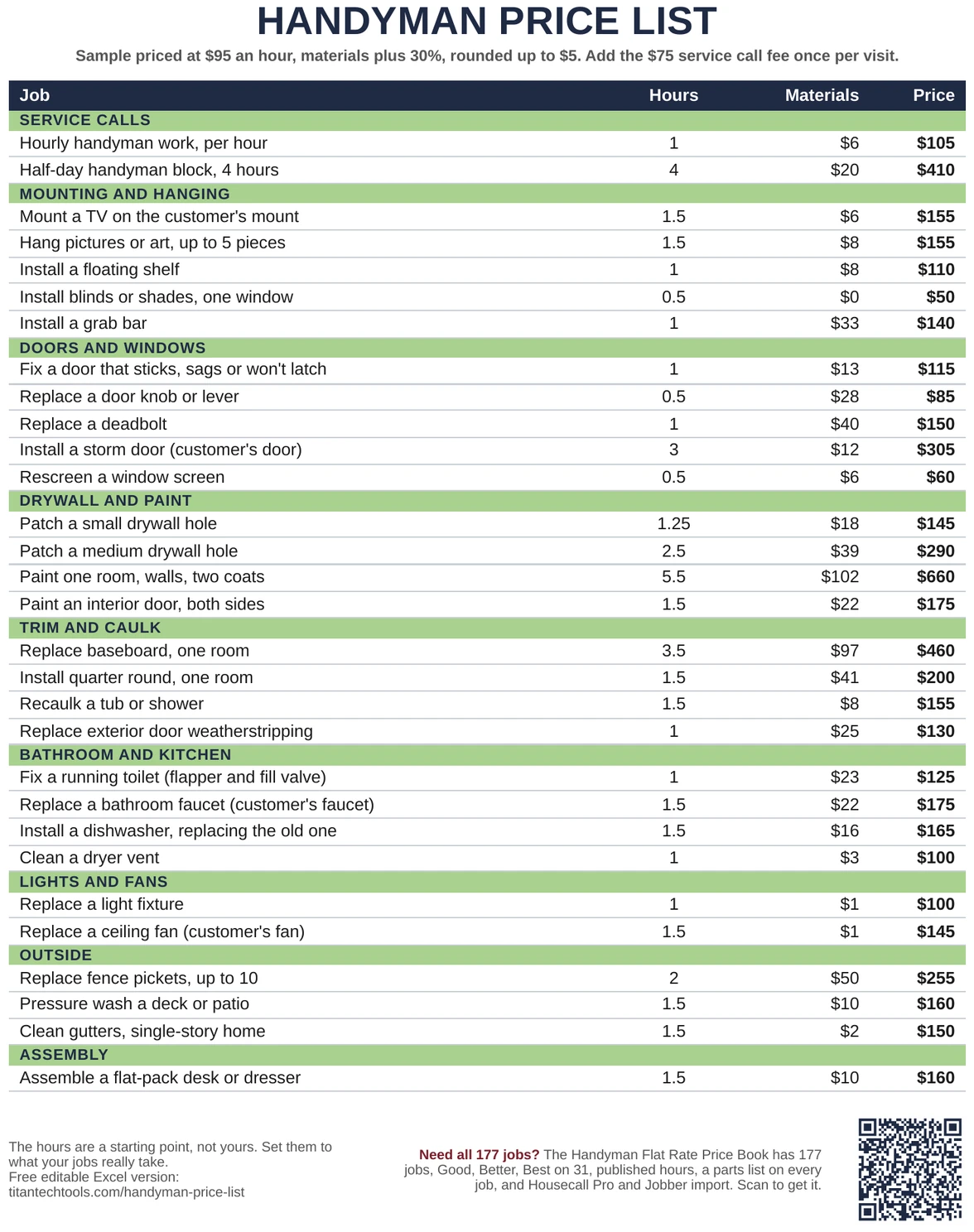
Repairs, installs and small jobs, each with one flat price.
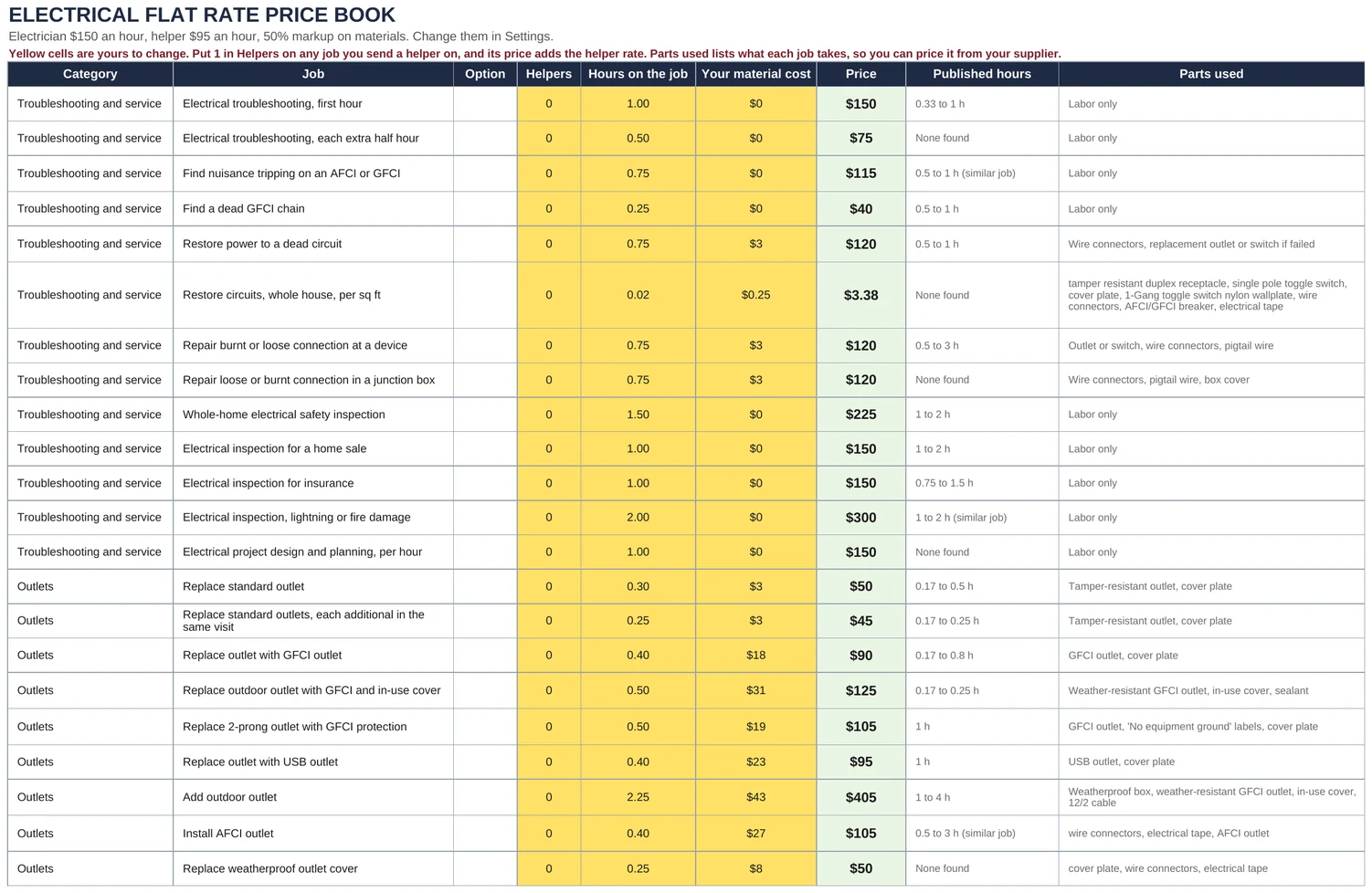
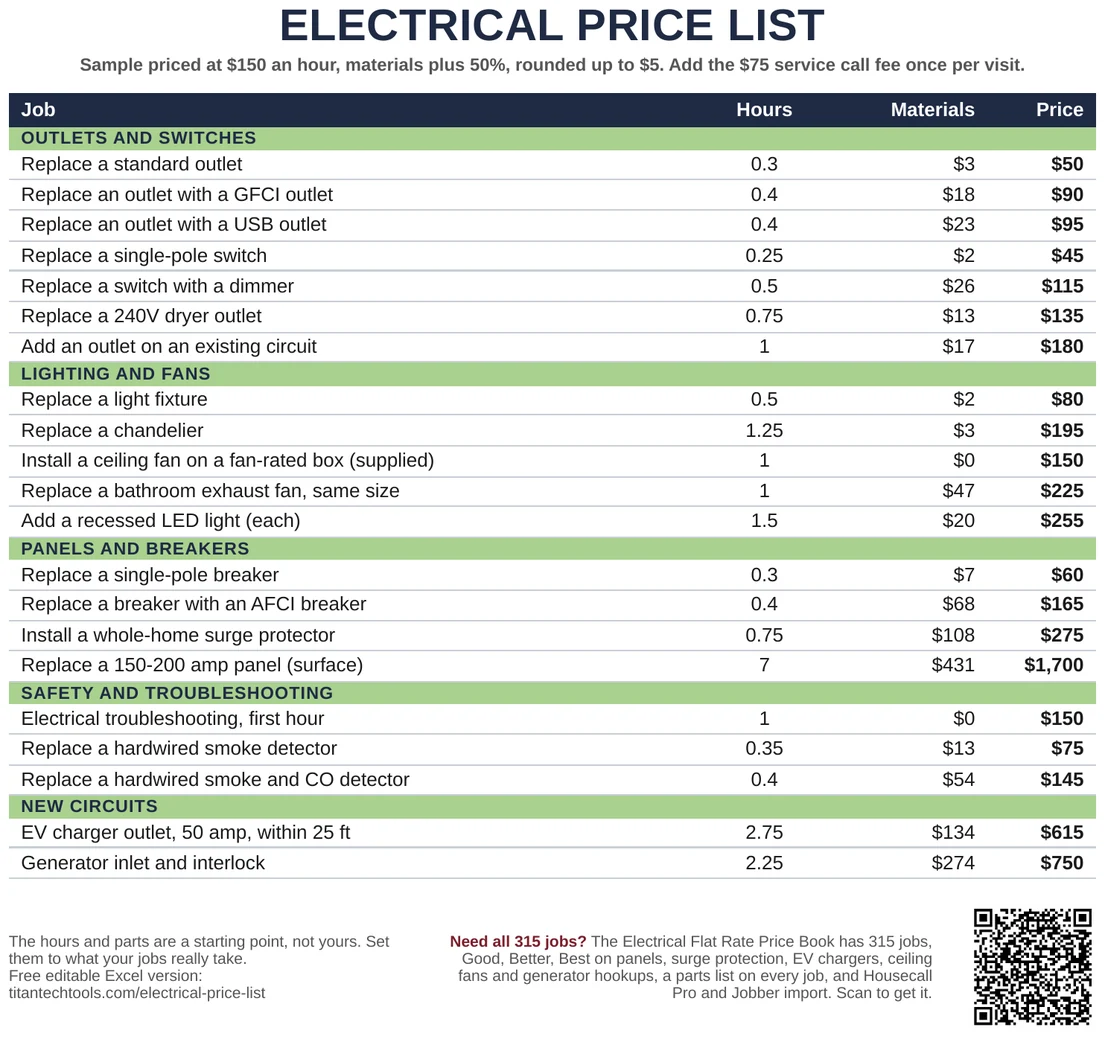
Service and repair jobs, with Good, Better, Best options.
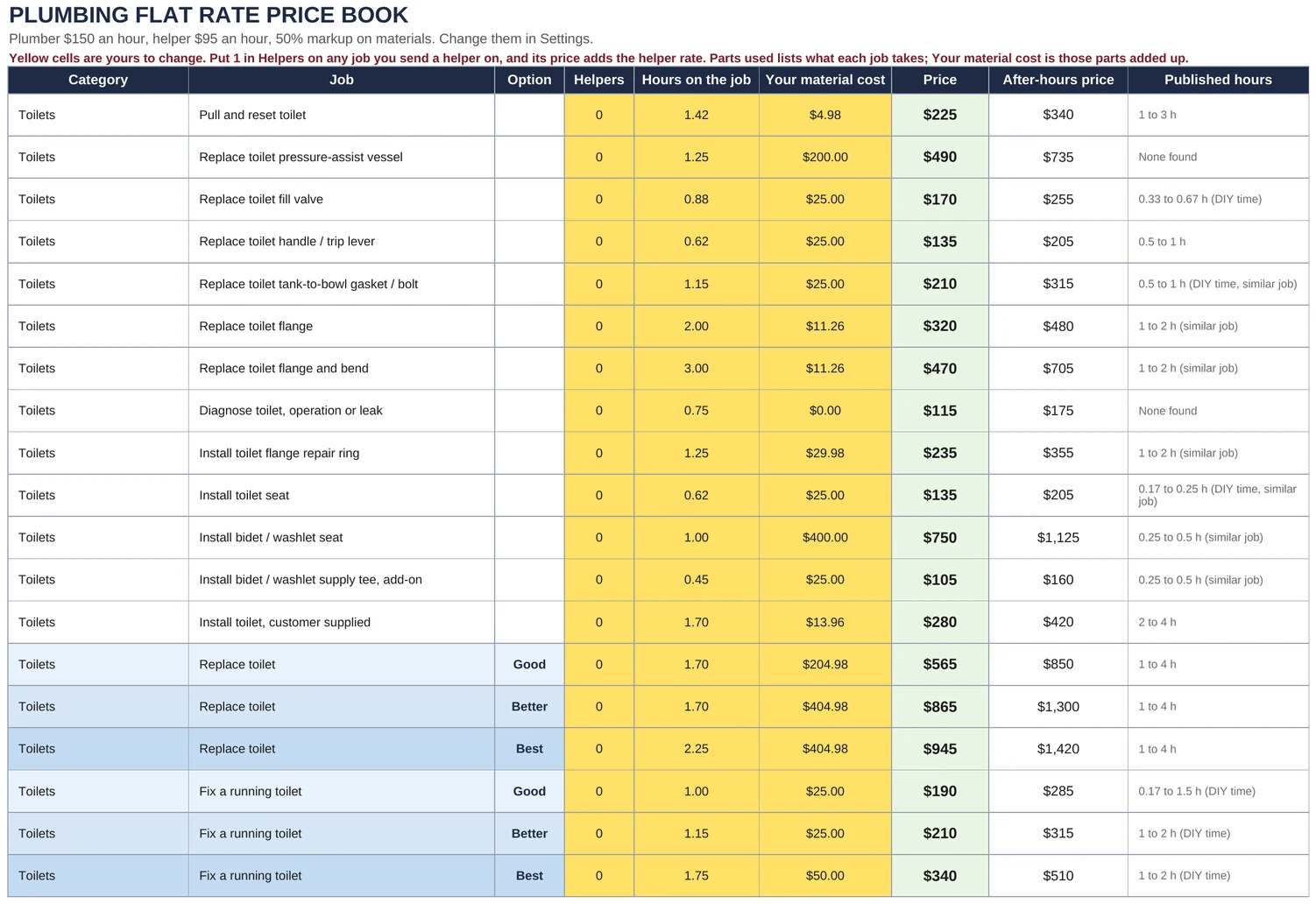
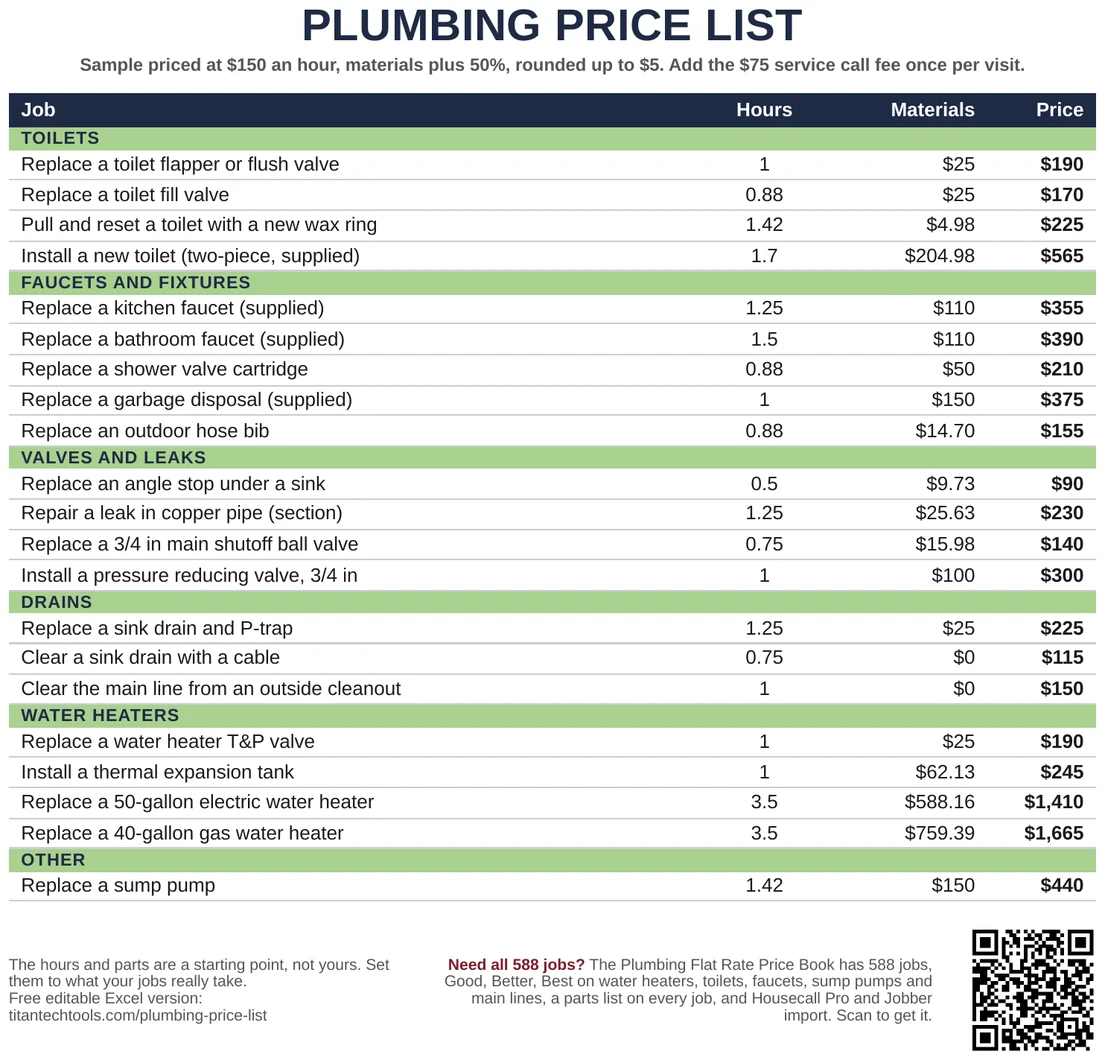
Repairs, water heaters and drains, with Good, Better, Best options.
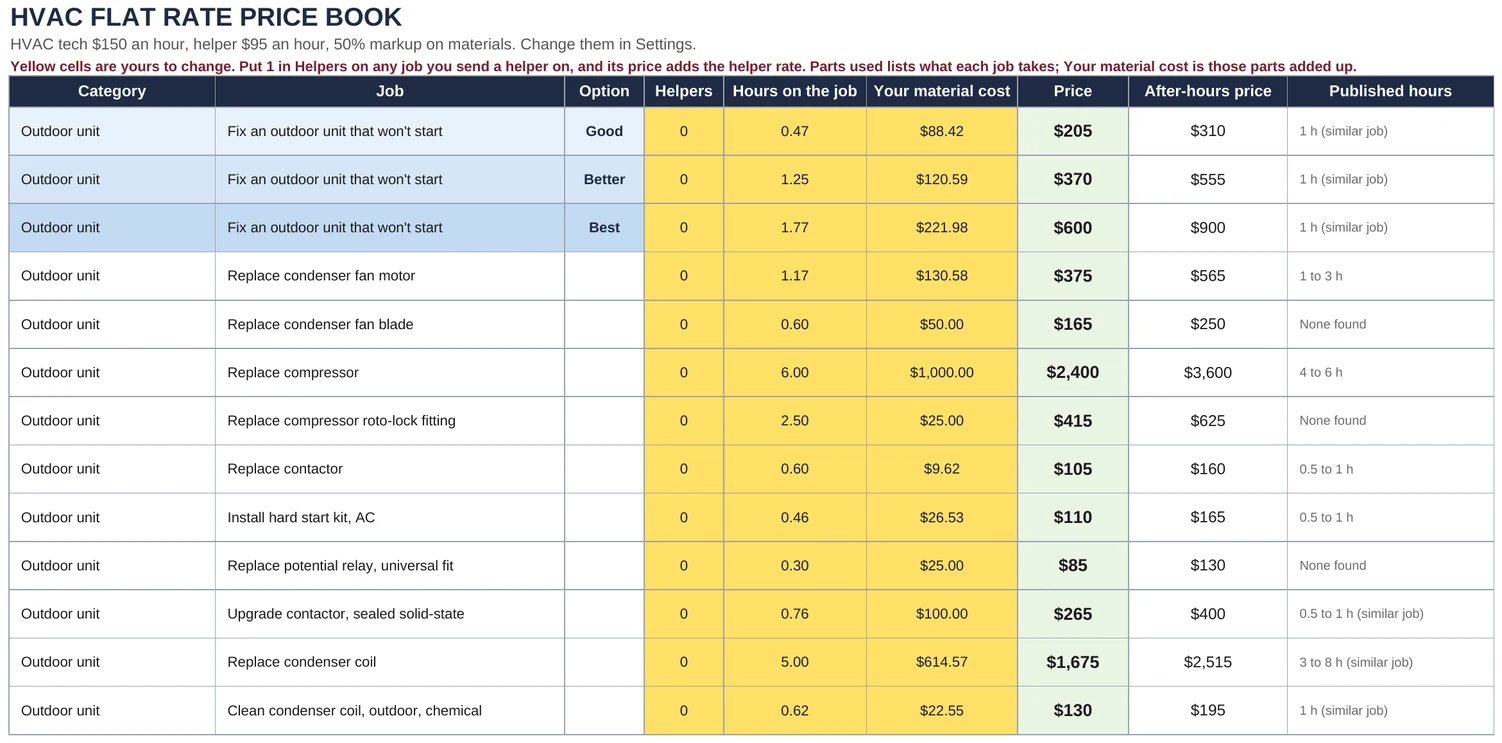
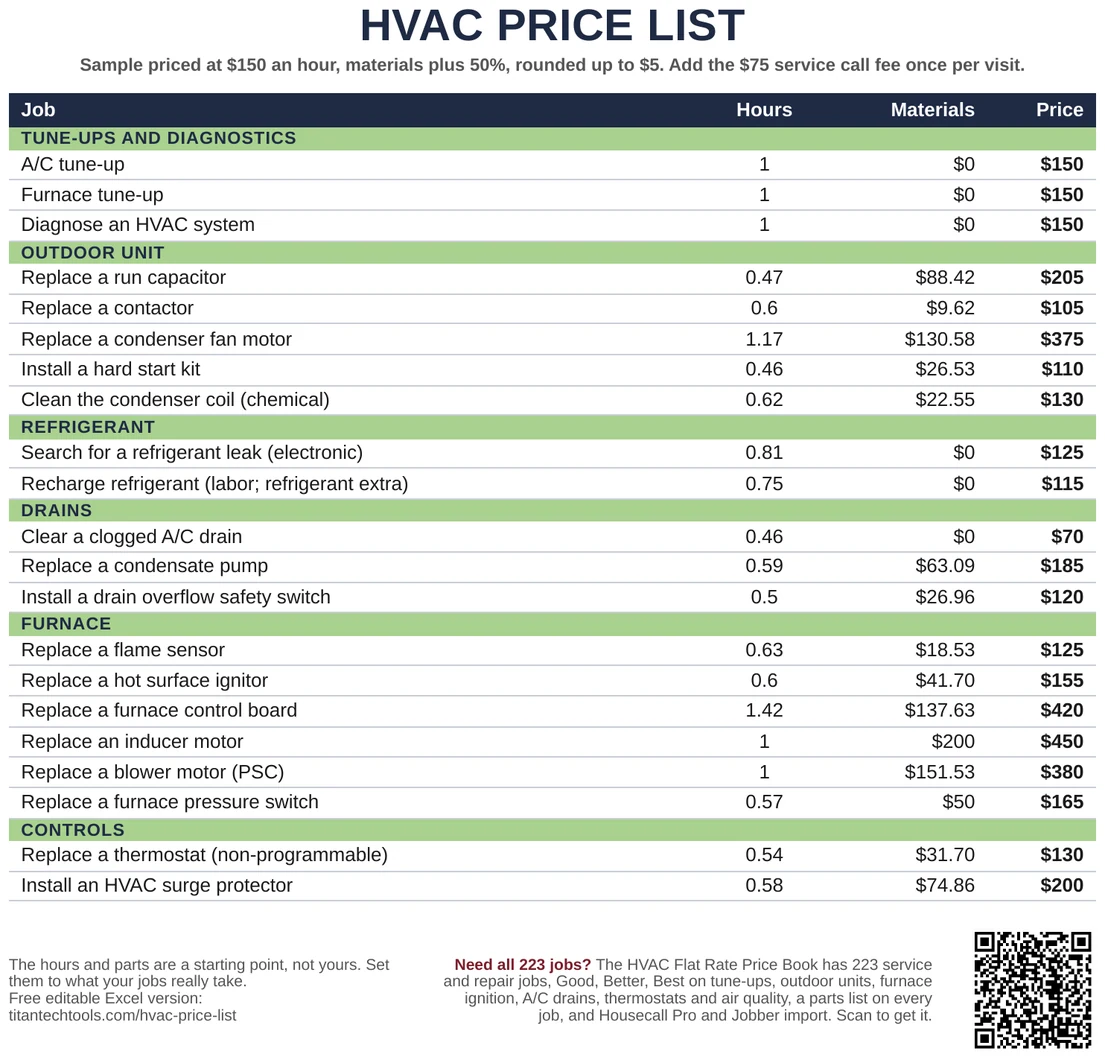
Service and repair jobs, with Good, Better, Best options.
Questions
Yes. The flat rate price card is a free one-page PDF for any trade. The free price lists cover handyman (30 jobs), electrical (21), plumbing (21) and HVAC (21), each as a PDF and an editable Excel file. No form, no email.
Yes. Type your hourly rate, markup on materials, minimum charge and rounding, and every price updates. Hours and material costs sit in cells you change. The free lists have blank rows for your own jobs and also open in Google Sheets. The handyman, electrical, plumbing and HVAC price books add a Housecall Pro import tab and a Jobber import tab.
Yes. The flat rate price card is a one-page PDF, and the free handyman, electrical, plumbing and HVAC price lists come as a printable PDF. The price books have a Print tab that prints your own prices as a truck copy.
Any trade: the flat rate pricing calculator prices any job from your rate and hours. Handyman: a free price list with 30 jobs and a price book with 177 jobs. Electrical: a free price list with 21 jobs and a price book with 315 jobs. Plumbing: a free price list with 21 jobs and a price book with 588 jobs. HVAC: a free price list with 21 jobs and a price book with 223 service and repair jobs.
A price list is a short list of common jobs with one price each, good for getting started. A price book covers the full run of jobs a shop sells, with Good, Better, Best options where customers have a real choice, helper rates, a Print tab and import tabs. Our free handyman, electrical, plumbing and HVAC lists are price lists; the handyman, electrical, plumbing and HVAC books are price books.
List the jobs you do most. For each one, write down the hours it takes you and what the materials cost you. The price is your hourly rate times the hours, plus the materials with your markup, rounded up. Add one service call fee per visit for the drive and setup. Or start from one of our free lists, which already do that math, and change the numbers to yours.
Yes. Every job has its hours next to the material cost, and the price is worked out from your rate, those hours and the material cost. The hours are a starting point: the average of what the industry publishes and what people in the trade say. How long a job takes belongs to you, so change any hour and the price follows.
None of these files. For ServiceTitan we build the pricebook inside your account, with your materials linked and options your techs can present. See our ServiceTitan pricebook services, the Pricebook Builder, and the tools that work on your ServiceTitan export.